
X-Forge
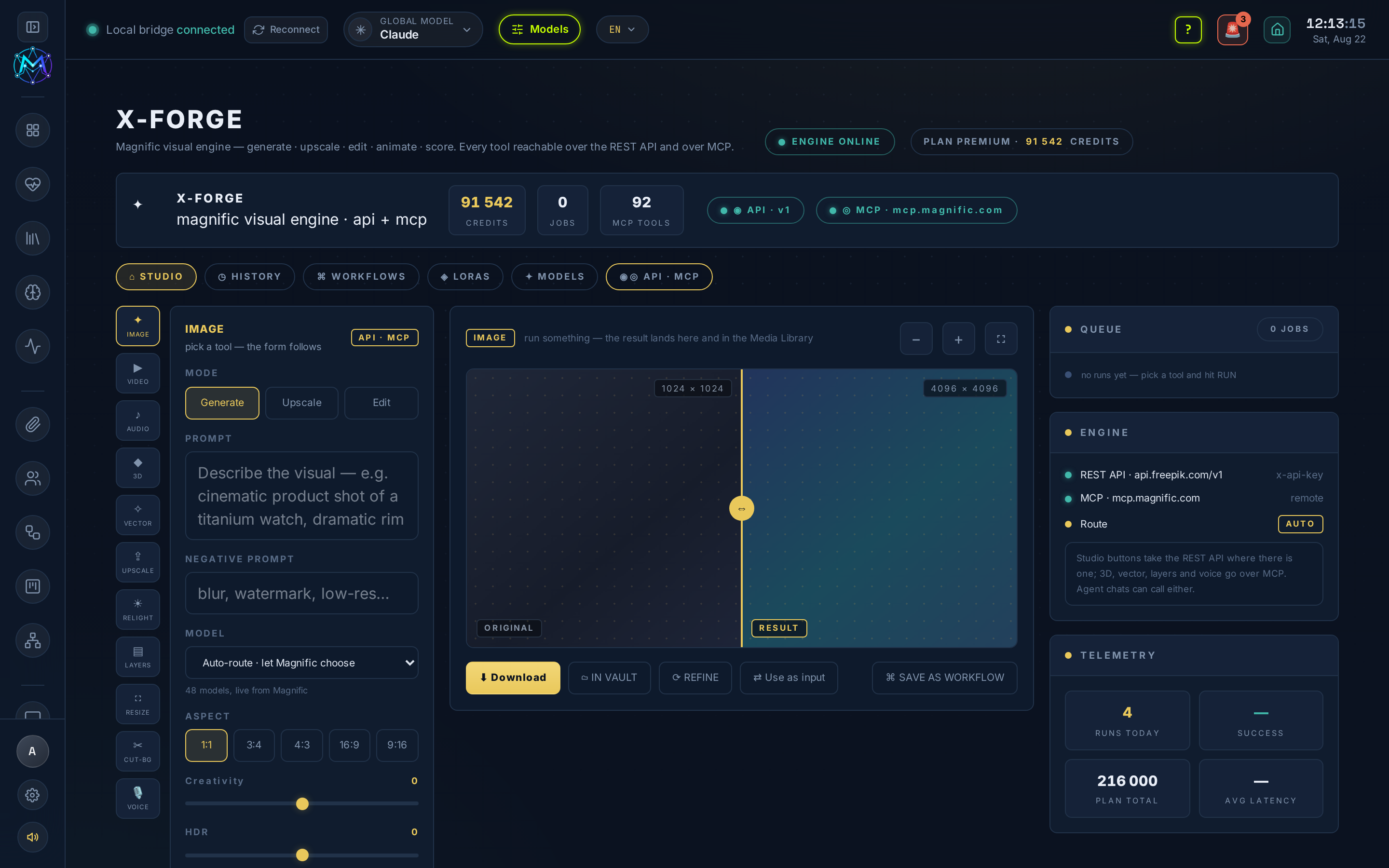
X-Forge is the Magnific (formerly Freepik) visual studio, at /x-forge. Generate, upscale, relight, cut out, resize, animate, score and voice - fourteen tools on one account. Every result is written to the vault under x-forge/ and appears in the Media Library on its own.
Purpose
Section titled “Purpose”Put Magnific’s whole visual engine behind one key and one form: images and video, 2× upscaling, relight and background cut-out, resize and animate, plus music, SFX and voice. The studio picks the right transport for the tool you chose, and every run’s cost is shown before you press the button.
Two doors, one button
Section titled “Two doors, one button”M.A.V.E.N reaches Magnific two ways, and the studio picks for you:
- REST API (
MAGNIFIC_API_KEY) drives IMAGE, VIDEO, AUDIO, SFX, ISOLATE, UPSCALE, RELIGHT, CUT-BG, RESIZE and ANIMATE. - MCP - M.A.V.E.N’s own client for
mcp.magnific.com- drives 3D, VECTOR, LAYERS and VOICE, which the REST key cannot see at all, plus the credit balance and cost estimates. 88 tools against the REST key’s 17.
Key functions
Section titled “Key functions”- Live model catalogue - the model list is Magnific’s live catalogue (48 image models and 52 video ones, read over MCP); aspect ratios, durations and resolutions on offer are the ones the chosen model actually accepts.
- Upscale 2× - reachable both here and as a one-click 2× button on any image card in the Media Library.
- Source-driven tools - tools that edit an existing file take a vault-relative SOURCE path (CUT-BG is the exception - its endpoint needs a public https URL). VOICE takes a voice id there instead (
817is a working default). - Jobs - LAYERS and 3D are slow by nature (one to six minutes); each run is tracked as a job, so leaving the page does not cancel it.
Connecting MCP
Section titled “Connecting MCP”On the API · MCP tab, click AUTHORIZE MAGNIFIC. It opens Magnific in a real browser tab (their sign-in page refuses embedded browsers), you sign in there, and the studio picks the session up by itself - OAuth 2.1 with dynamic client registration and PKCE. Tokens live in ~/.maven/x-forge/mcp.json and refresh themselves; nothing reaches the browser.
Setup and dependencies
Section titled “Setup and dependencies”MAGNIFIC_API_KEY- added in Settings → Secrets; drives every REST tool and never reaches the browser.- MCP authorization - needed only for 3D, VECTOR, LAYERS, VOICE and the credit balance; done once from the app.
Where output goes
Section titled “Where output goes”<vault>/x-forge/<tool>/ for REST results, <vault>/x-forge/mcp/ for MCP ones. 3D returns a .glb and its preview .png; LAYERS returns the flattened layers as images; VECTOR returns .svg. Uploaded sources are kept in ~/.maven/x-forge/uploads for a day and then swept.
- The button says what a run costs before you press it - check it on the premium models.
- HISTORY, WORKFLOWS, LORAS and MODELS tabs are the design, not live data - they are marked as such in the app and show what the next stage will do.