
Maven Swarm
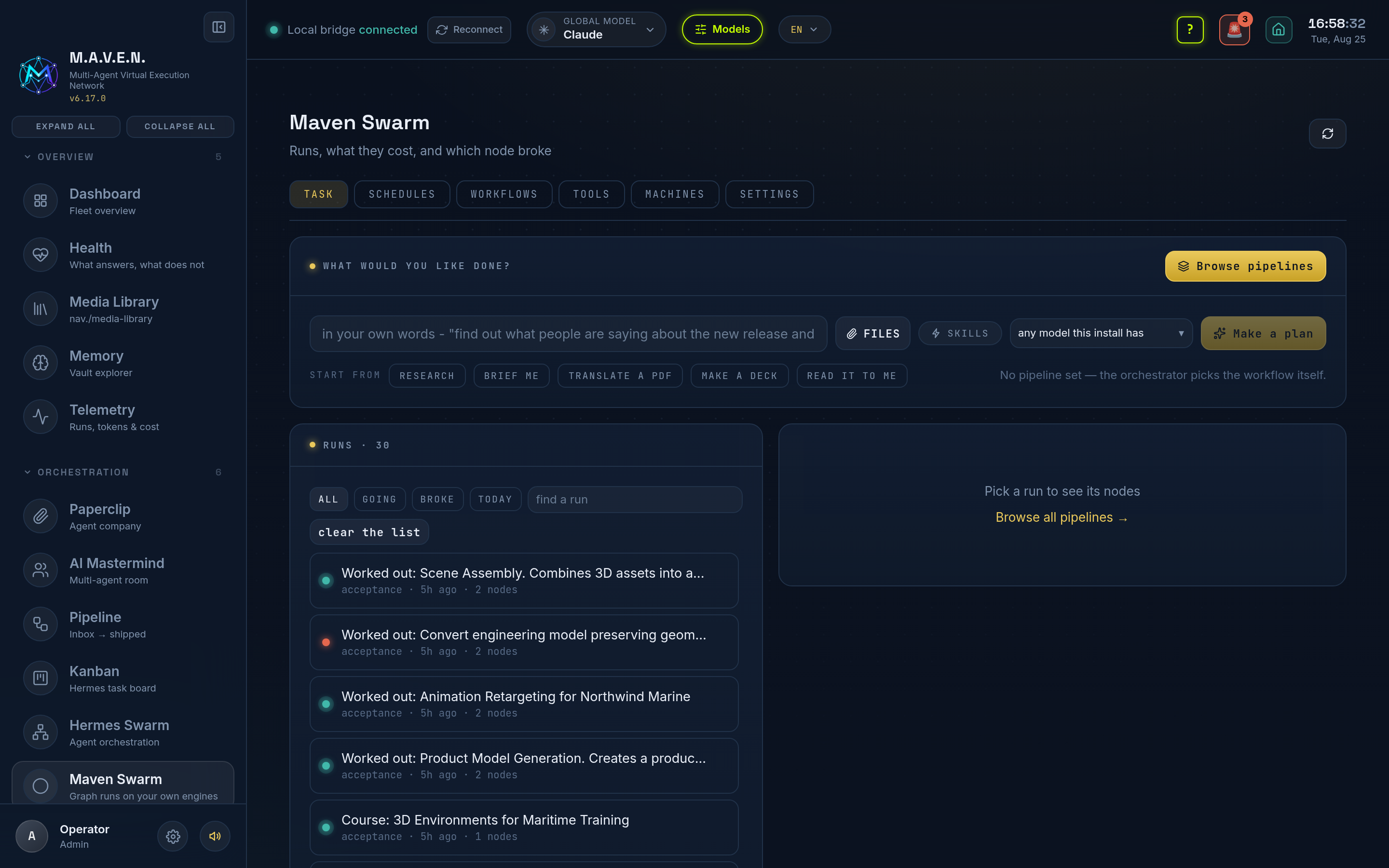
Maven Swarm is the orchestrator at /swarm. You describe the work in plain words, and it answers with a plan you approve before anything runs.
Not the same thing as Hermes Swarm
Section titled “Not the same thing as Hermes Swarm”Two apps, two jobs. Hermes Swarm is fleet control over your Hermes bots: a node graph you wire by hand. Maven Swarm plans the work itself and runs it on this install’s engines and apps.
It is also independent of Hermes. It does not import it, does not read its files, and works on a machine where Hermes was never installed.
The plan comes first
Section titled “The plan comes first”Type what you want. The orchestrator matches it against the workflows this install has, then shows what it intends to do: which steps, in what order, which model or which app does each one, and what it will leave behind. Nothing runs until you press the button.
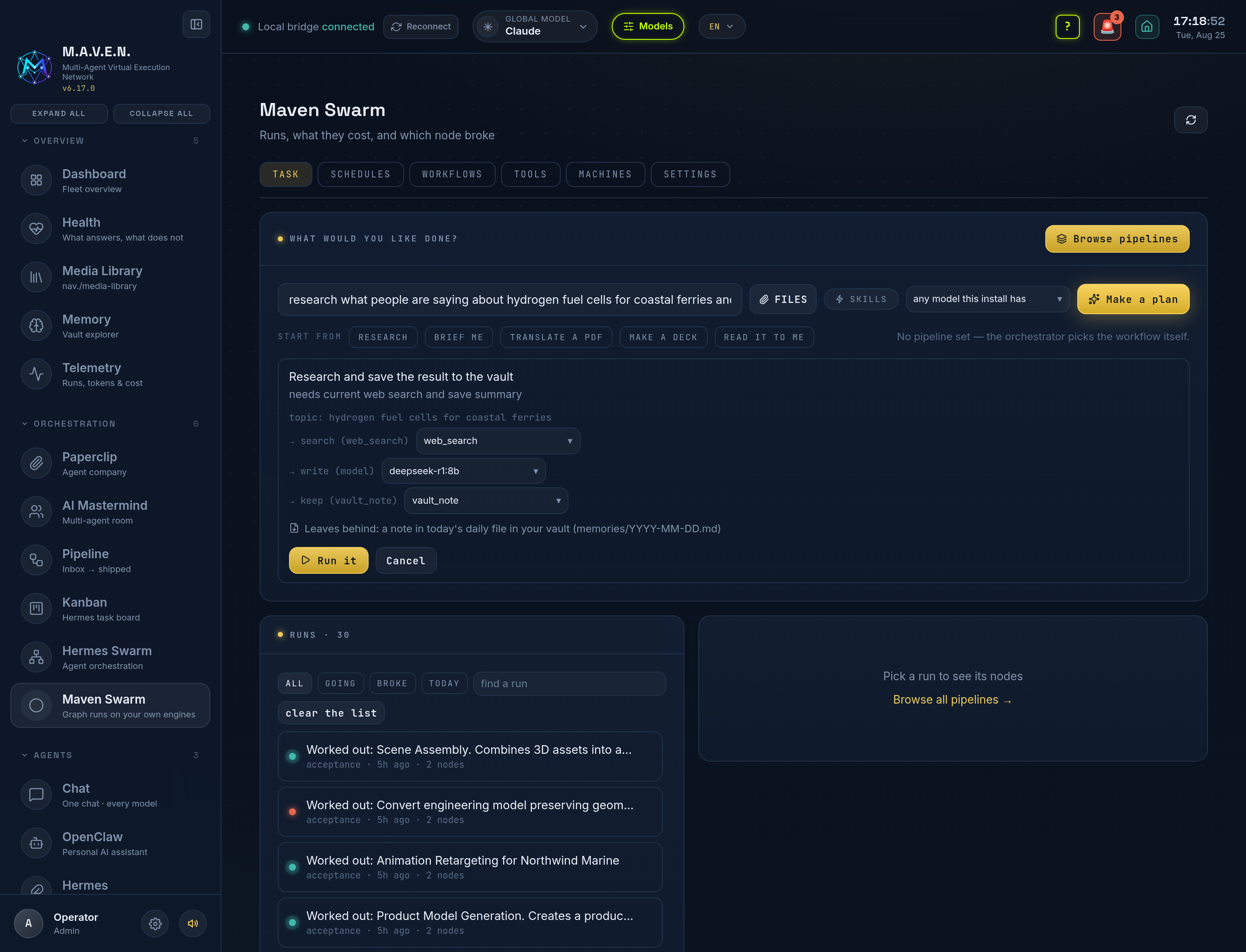
Change any step before it runs. Every step names a model or an app, and both are pickers. You get any model this install actually has, and for a tool step, a choice of tool and of the engine it writes with. A deck no longer quietly takes the cheapest engine when you asked for another.
Attach files. FILES puts documents into the task. The tools get the path; the model gets the text, wherever text can be had without conversion. A PDF is converted once on upload and the text is kept beside it, so the next node does not convert it again.
Hand it your skills. SKILLS adds the skill documents installed on this machine (~/.agents/skills). Only what is installed reaches a prompt. A name nothing is installed for is dropped rather than mentioned, because a model told to “use the seo-audit skill” without its text will invent one.
The catalogue: 636 pipelines in 38 categories
Section titled “The catalogue: 636 pipelines in 38 categories”Browse pipelines opens the catalogue in three columns: the categories, the pipelines in the one you picked, and one pipeline in full, with a one-line description, its process step by step, and how it runs. Search reaches the whole catalogue at once, in your language. Everything is in English, Russian and Ukrainian.
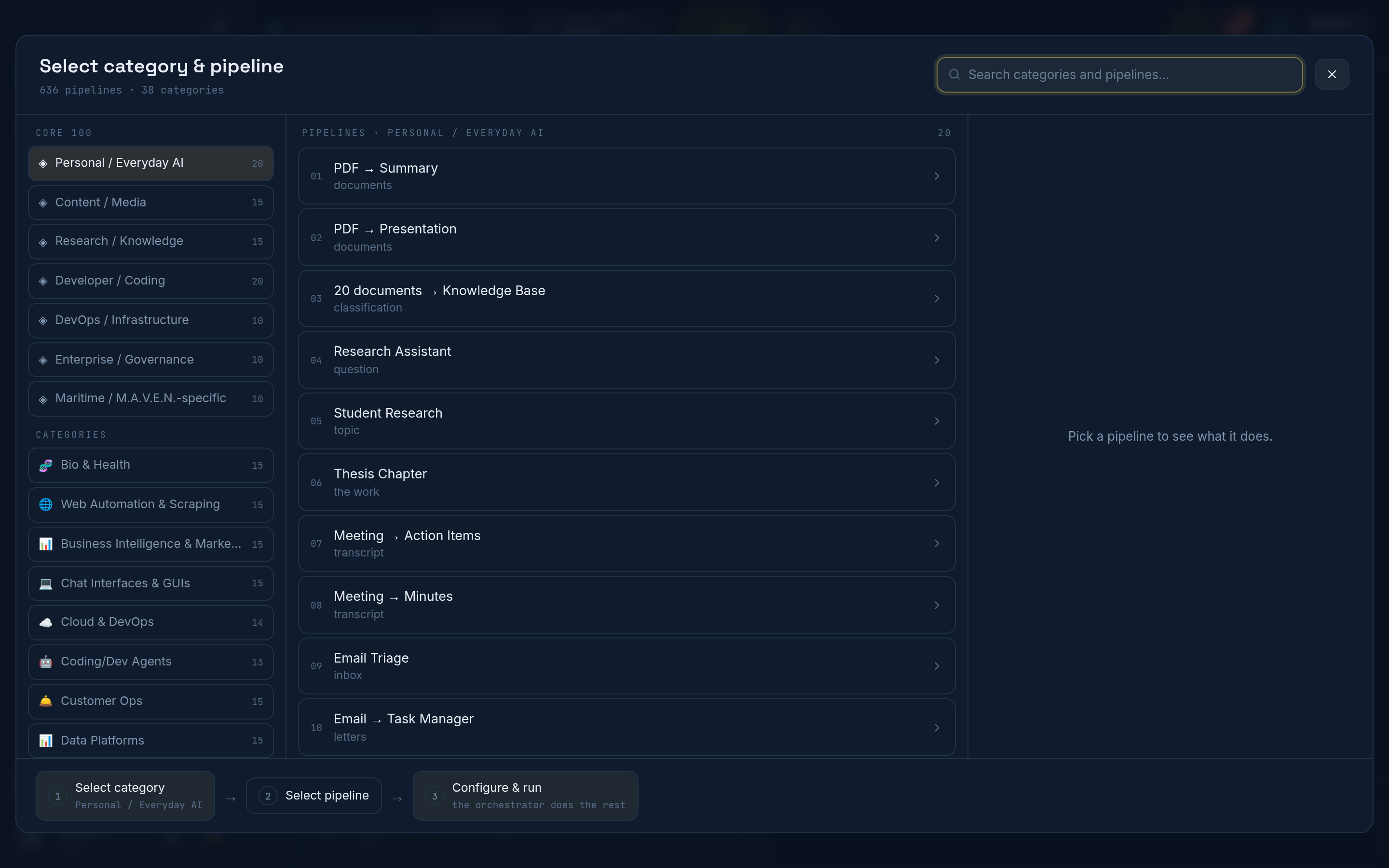
A pipeline is a description of work, not a ready-made graph. Picking one tells the orchestrator what you want. It still chooses the workflow, still shows the plan first, and names the run after the pipeline.
Categories run from Personal / Everyday AI, Content / Media, Research / Knowledge and Developer / Coding through Bio & Health, Web Automation, Business Intelligence, Cloud & DevOps, Customer Ops, Data Platforms and Development / Web, and on to the Maritime set M.A.V.E.N. was first built for.
What it can actually drive
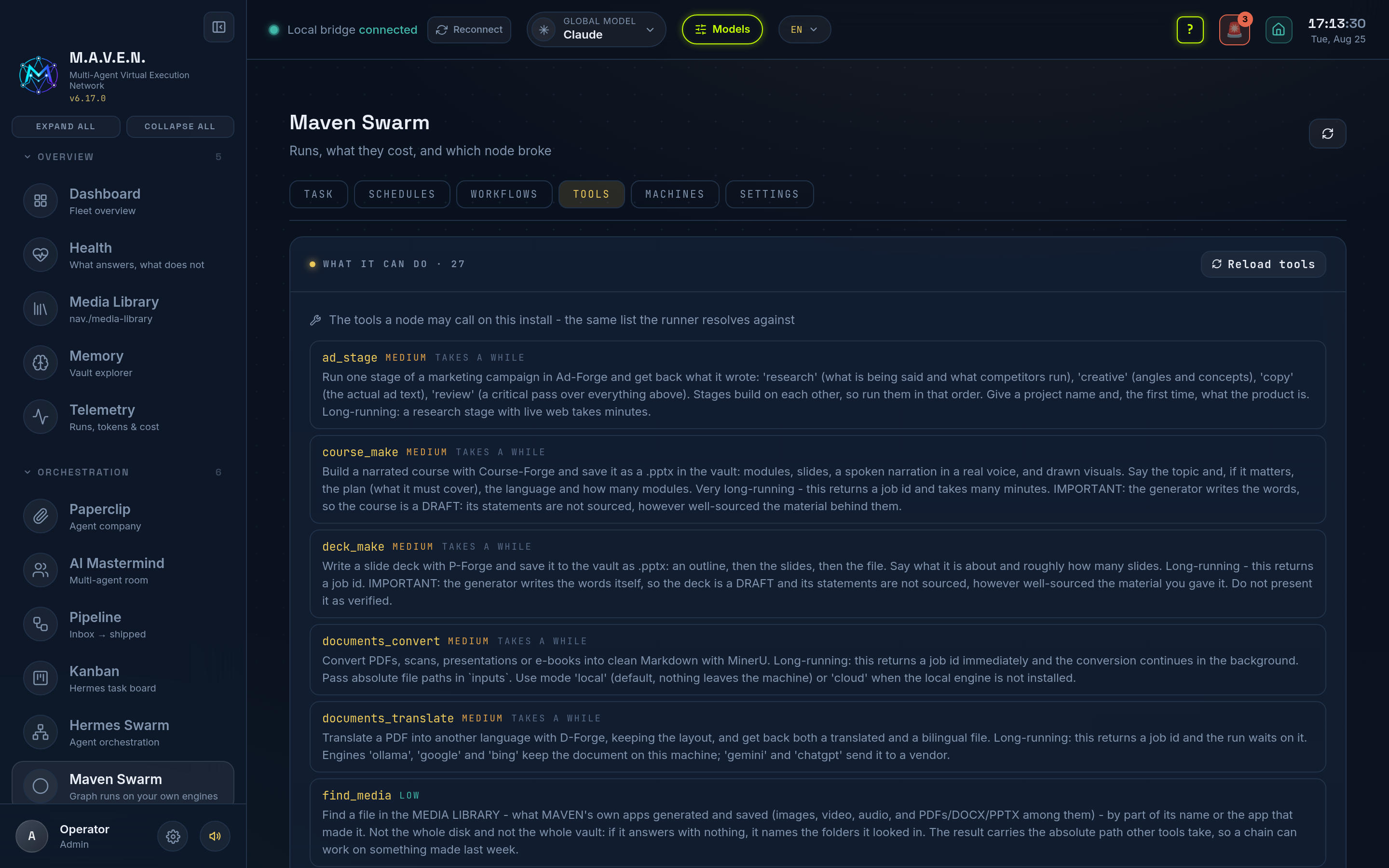
Section titled “What it can actually drive”A step is either a model thinking or an app doing. The apps already in M.A.V.E.N. are the tools:
| Tool | App | What it does |
|---|---|---|
site_build |
VC-Forge | builds a real project with files on disk: a landing page, a site, a docs site, a prototype |
deck_make |
P-Forge | a presentation, in the design and the language you asked for |
course_make |
Course-Forge | a narrated course: modules, slides, a real voice, a .pptx |
studio_run |
X-Forge | image, upscale, relight, cut-out, expand, video, music, sfx, voice, vector, 3D |
music_make |
M-Forge · Music | a track from a description, into the media library |
storyboard_make |
S-Forge | a storyboard into a studio project |
research_dossier |
R-Forge | searches, reads the pages and writes a sourced dossier |
documents_translate |
D-Forge | a document translated, keeping its layout |
vault_document |
the vault | a finished report as its own file |
There are twenty-seven in all. The rest are web_search, documents_convert, transcribe_media, speak_text, knowledge_ask, seo_review, ad_stage, find_media, the vault’s own read and search, an approval gate and a shell step. The plan tells you which ones it picked.
Where a node may write
Section titled “Where a node may write”A node runs in your vault and may write files there without asking. That is the rule this product was built on: a model that saves anything saves it in Obsidian. The working directory makes it true, because the CLIs reach the directory they were started in.
Arbitrary shell still asks, and in a run nobody is watching, asking means it does not happen. Two knobs cover the rest: MAVEN_SWARM_PERMISSION_MODE=bypass for full autonomy, =safe to take writing away again.
Runs survive the machine
Section titled “Runs survive the machine”A run is folded out of an append-only journal, so killing the server does not lose it. Restart, and it continues from the last node that finished. Work already paid for is never repeated, so a long tool that finished keeps its result, while a job that died with the process is run again rather than adopted.
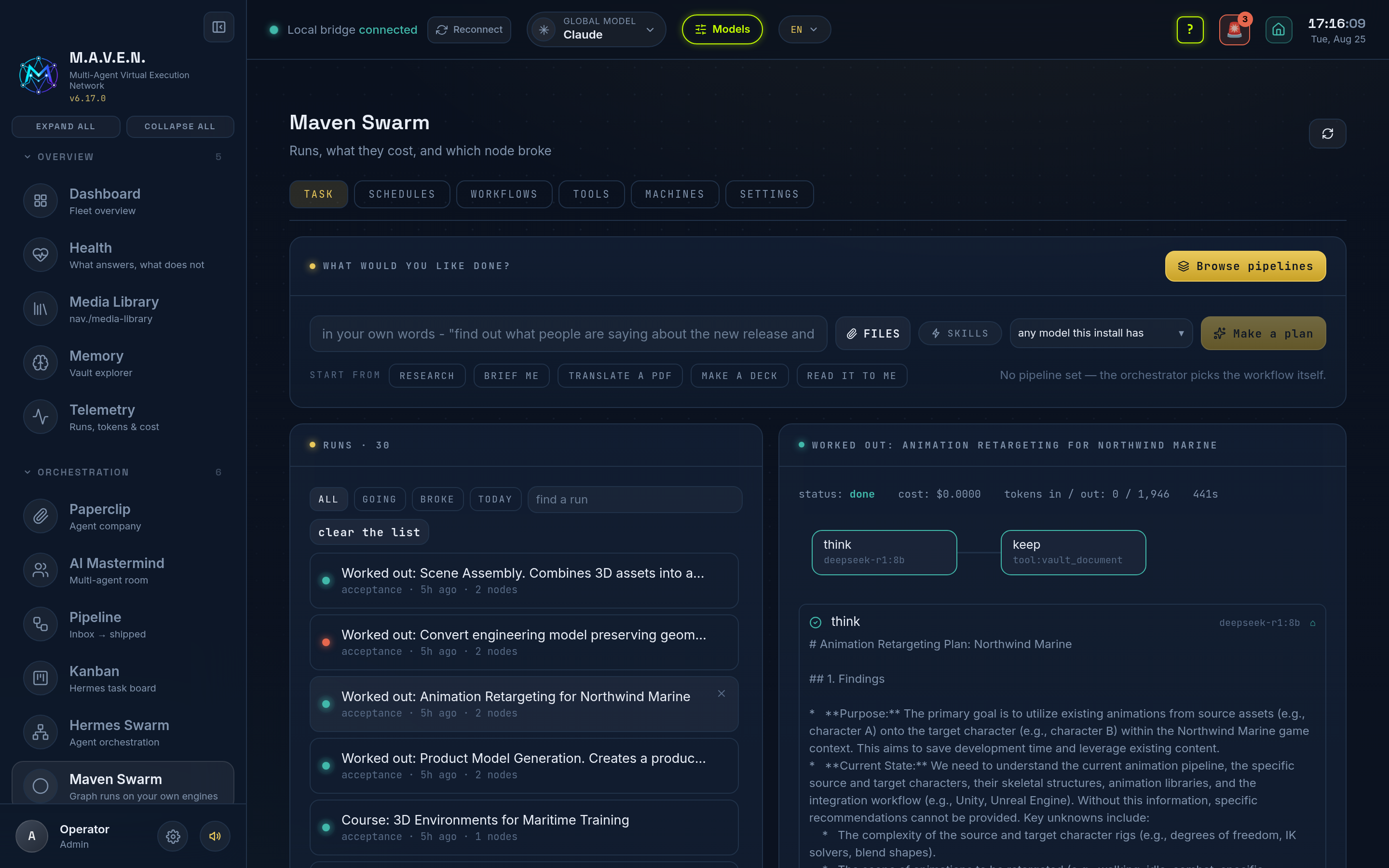
Open any run to see each node: what it was asked, what it answered, what it cost, and which files it produced. The list can be cleared, and it takes two presses so it is never an accident.
A bot per category
Section titled “A bot per category”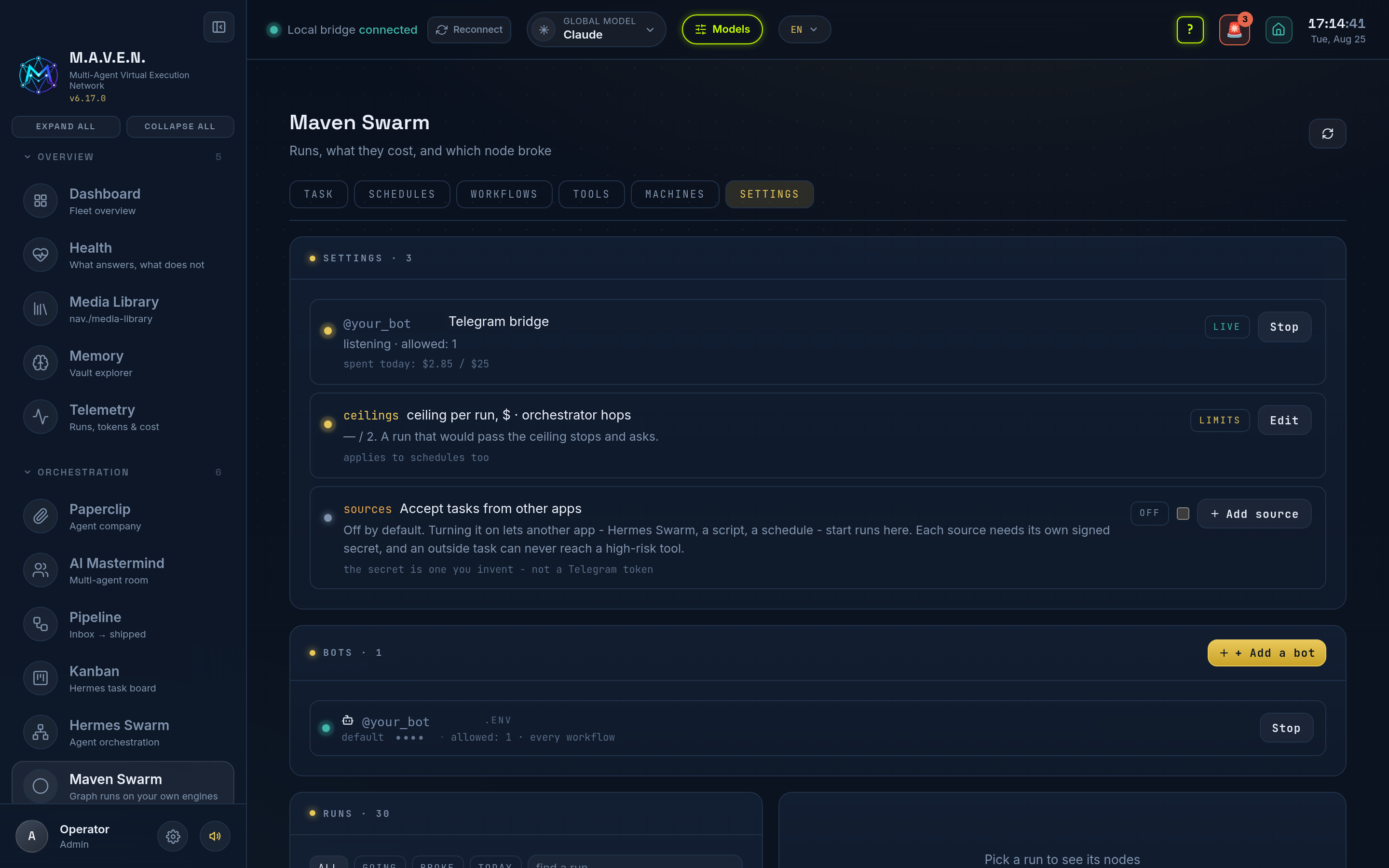
Add a Telegram bot in bots: its token, who may talk to it, which workflows it may run and which skills it carries. It answers in the language it was written to, takes a document as the material for the task, and registers its own command menu. /run accepts a phrase as readily as a workflow id.
Bot tokens are never printed. Not in an event, not in a trace, not in an error, and never inside a prompt handed to a model.
Machines, ceilings and the bridge
Section titled “Machines, ceilings and the bridge”machines lists the nodes this swarm may run on: this one, and any other you already reach over ssh.
settings holds what one run may spend, how deep a graph may go, whether tasks may be accepted from outside, and the shared secret that says who may send them. A secret goes in and never comes back out, so rotating it means typing a new one.