
Health
Health is a single status page, at /health. It runs 16 checks over the parts of the system M.A.V.E.N depends on but does not own, and each row names the apps that stop working while that thing is down.
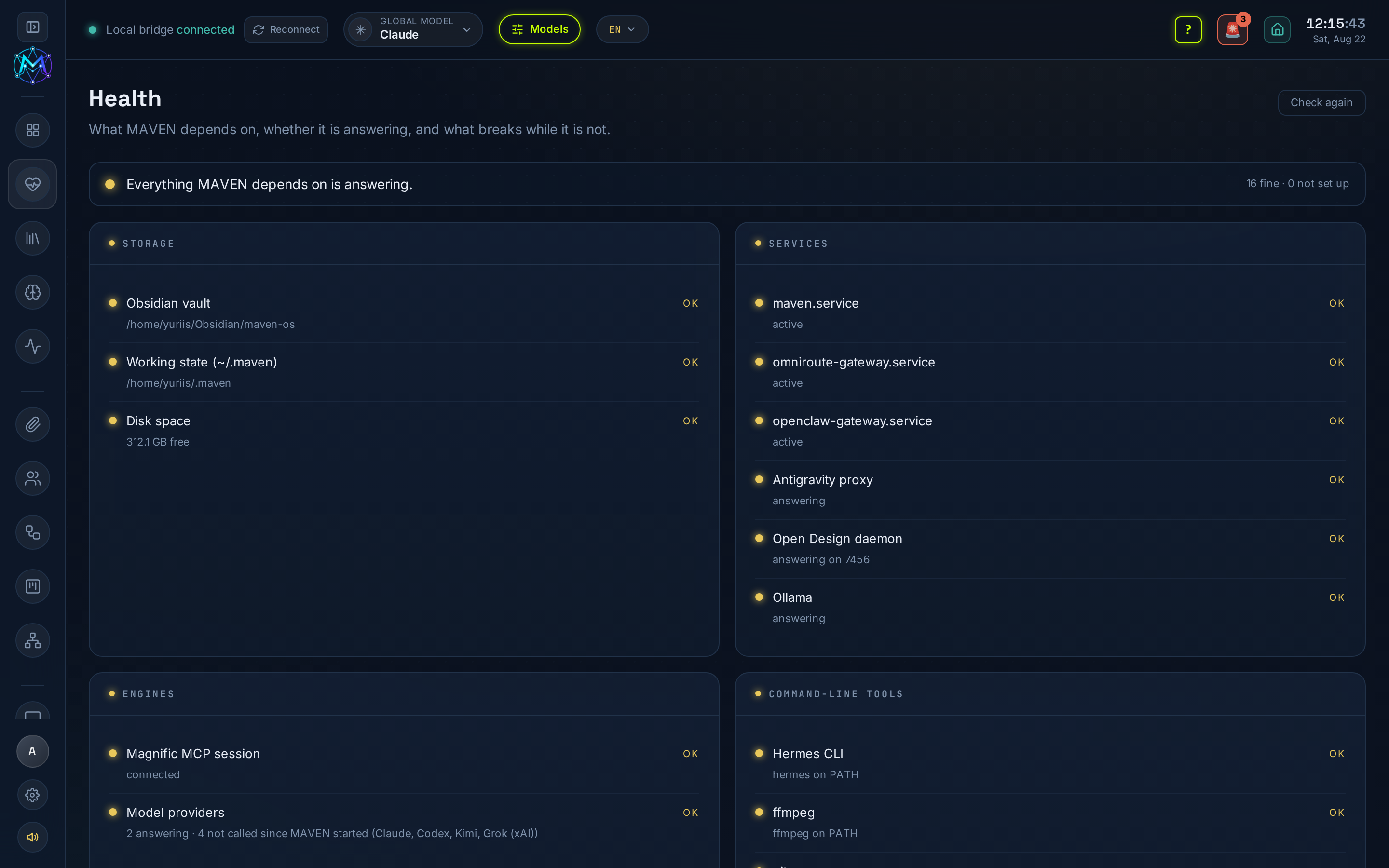
What it checks
Section titled “What it checks”- Vault - the Obsidian vault is present and writable, and how much of it is in use.
- Disk - free space on the drive the vault and the working directories live on.
- Services - the systemd units (
maven.serviceand friends) that keep the app up. - Daemons - the local helpers apps talk to (Open Design, Paperclip, Ollama, …).
- Magnific session - whether X-Forge’s MCP session is authorized (the live catalogue, credits and cost estimates need it).
- Providers - which model/API keys are configured.
- Binaries on PATH - the CLIs the tools shell out to (
ffmpeg,soffice,python3, …).
Not set up is not broken
Section titled “Not set up is not broken”A check that is simply not configured - no Ollama, no Magnific key - is reported as not set up, not as a failure. A machine without Ollama is healthy; painting that red is how a status page teaches people to ignore red. Only a thing that should work and doesn’t is a fault.
Running out
Section titled “Running out”The page also surfaces what has a clock on it - anything with an expiry, including an OAuth session that cannot refresh itself and will simply end. It is the early warning for the failures that arrive on a schedule rather than at random.
What changed
Section titled “What changed”A background watch runs every half hour and records only what changed since the last one - a daemon that went down, a session that expired at three in the morning. So a fault is dated to when it happened rather than merely discovered when someone next opens the app that needed it.
Vault backup
Section titled “Vault backup”From the disk view you can take a documents-only backup of the vault - the notes and decks, with a manifest of what was left out and why (the heavy generated renders are not copied). A backup also happens on its own once a week, and you can point it at a mirror - a second folder on an external drive or a synced share - so the copy is not on the same disk as the vault it protects.
Restoring is done from the same page and is always previewed first: it names the files a restore would overwrite before it touches anything, and it only ever adds and overwrites - it never deletes a file the archive has not heard of.
Deleting in the Media Library is recoverable too: it moves to a .trash/ inside the vault and stays there until you empty it.