
Qwen Code
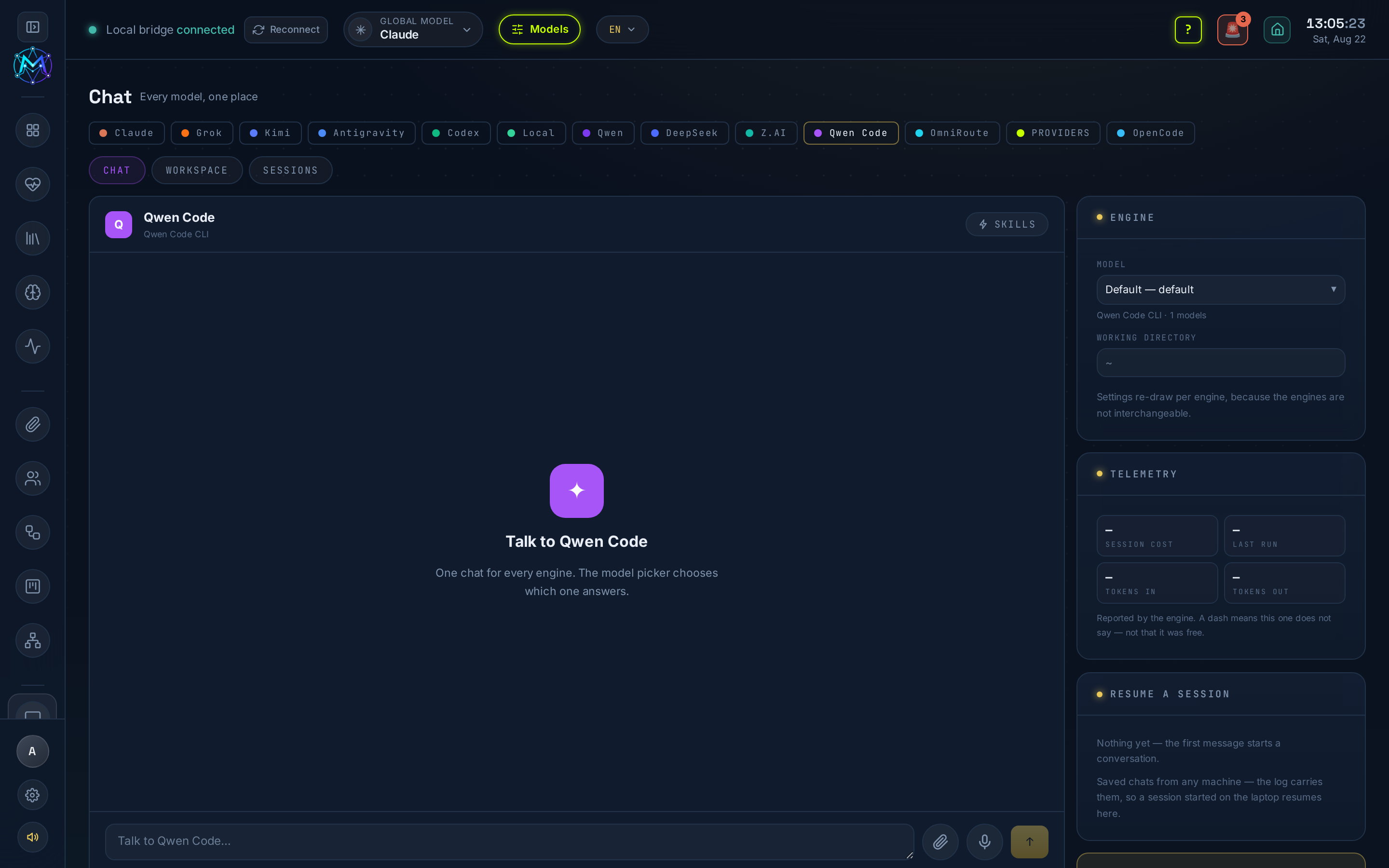
Qwen Code is the Chat engine for Alibaba’s Qwen Code agentic CLI (qwen), in Chat - /chat?engine=qwen-cli. Each turn runs the CLI in a working directory you choose.
What it does
Section titled “What it does”Runs the Qwen Code agent with real tools (59 of them) - it reads and writes files on the machine. It is not the Qwen engine: that one talks to the Model Studio chat API (text in, text out), while Qwen Code can change files on disk. Same brand, different tool.
The engine shares the common History / Resume / Workspace tabs - Workspace browses ~/.qwen/projects and ~/.qwen/memories - plus a Telemetry row (tokens + duration from the CLI’s own report). A turn is buffered (result at the end), not streamed.
Key actions
Section titled “Key actions”- Chat - send a task; the CLI runs its tools and returns the result at the end.
- History / Resume - reopen and continue past threads.
- Workspace - browse
~/.qwen/projectsand~/.qwen/memories. - Safe mode - disables context files, hooks, extensions, skills and MCP servers to isolate what broke a run.
Setup / CLI / keys
Section titled “Setup / CLI / keys”- Requires the Qwen Code CLI (
qwen). Check withcommand -v qwen; install withnpm i -g @qwen-code/qwen-code. - Authentication is a one-time terminal sign-in - the
qwenCLI manages its own login; M.A.V.E.N passes it no API key. This is separate from the Qwen/DeepSeek engines, which useQWEN_CLOUD_KEY(Model Studio) - that key is not used here.
- Do not confuse it with the Qwen engine (
/chat?engine=qwen), which uses the Model Studio cloud plan (QWEN_CLOUD_KEY). - Qwen Code can be selected as the global model in the top bar, and it participates in the AI Mastermind.
See also
Section titled “See also”-
Chat - the window this engine answers in.